 Doc Scan
How to copy text from a photo or scanned page on iPhone
Retyping a page is never necessary on a modern iPhone. For a sign or a short paragraph, Live Text is enough. For whole pages and multi-page documents, a scanner with OCR gives you clean paragraphs to paste anywhere.
Updated
Free, with apps already on your iPhone
Use Live Text
Live Text is built into iOS 15 and later on iPhone XS, XR and newer.
- Open the photo in Photos, or point the Camera at the text.
- Tap the Live Text button in the corner, or touch and hold a word.
- Drag to select what you need, then tap Copy.
Quick for a few lines. For a full page you select by hand, line breaks follow the layout, and multi-page documents have to be done one photo at a time.
With Doc Scan
Use Doc Scan
Doc Scan recognizes text on the device with Apple’s Vision framework, one page or a whole document at a time.
- Scan the page with +, then Scan; or bring in an existing picture with +, then Photo.
- Open the document, tap OCR and choose Recognize This Page or Recognize All Pages.
- Pick the language at the top if it isn’t right; Doc Scan also suggests one when the text looks like another language.
- Tap Copy or Share. Turn on Merge paragraphs in Settings to join lines the layout broke apart.
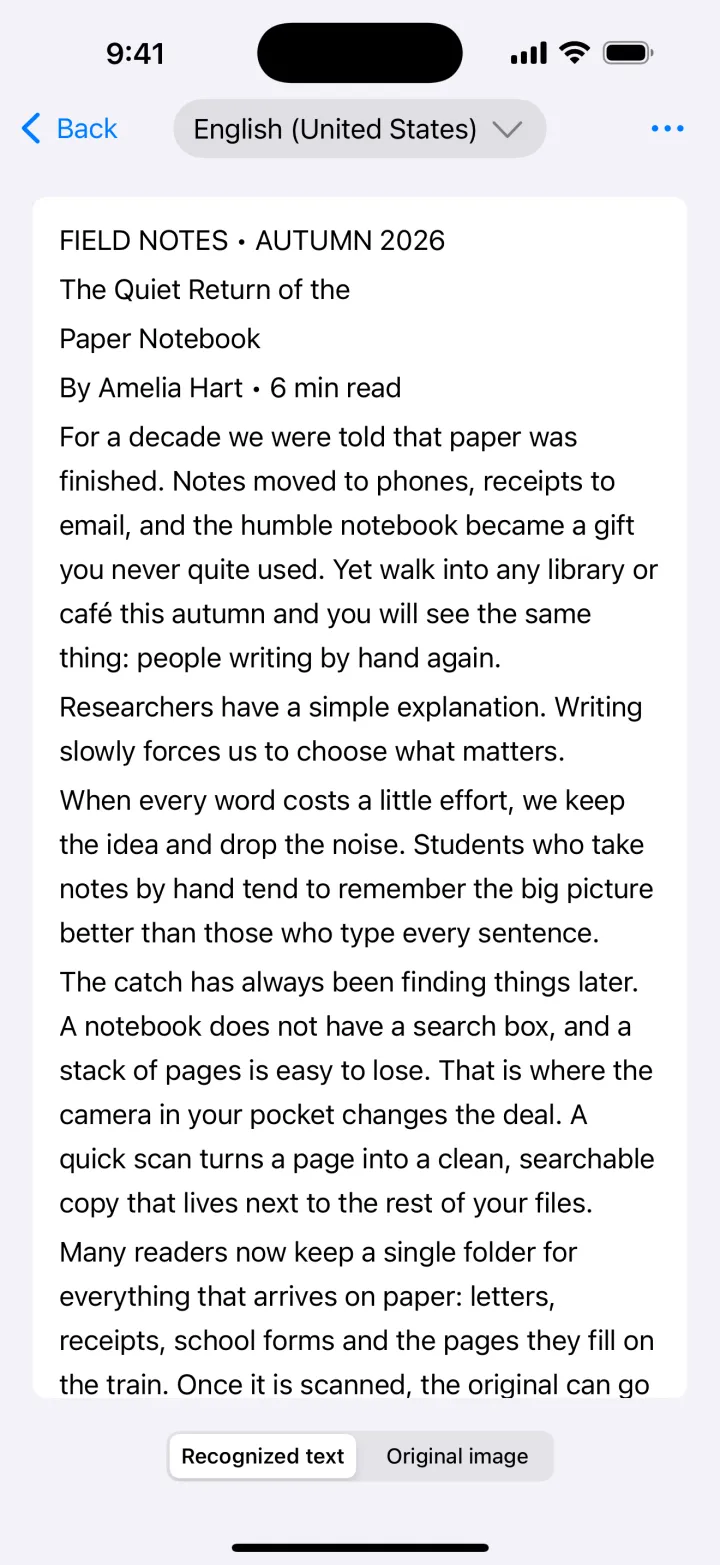
Text recognition is part of Premium. Pages are read on your iPhone and are not uploaded.
Download on theApp StoreTips
- Choose Accurate recognition in Settings for small print; Fast is fine for big, clear text.
- Scan straight on and in good light: OCR is only as good as the image.
- Use Black & White on faded copies before recognizing them.
Questions
Which languages can be recognized?
English, Chinese, Japanese, Korean, the major European languages and more. The exact list comes from Apple and depends on your iOS version.
Does it read handwriting?
Clear printed text works best. Neat handwriting is sometimes recognized, but results vary.
Is my text sent to a server?
No. Both Live Text and Doc Scan recognize text on the device.